
How to Subscribe: MTN × ESET Cybersecurity Solutions

Updated: Aug 5
Everything needed to choose the right protection plan, understand subscription options and get started with confidence.
Cybersecurity has become an essential part of everyday life. From online banking and digital payments to remote work, virtual learning and social connectivity, technology now plays a central role in how people communicate, work and manage their daily activities. As digital adoption continues to grow, so does the need to protect devices, personal information and business data from an increasingly sophisticated cyber threat landscape.

Threats such as phishing attacks, ransomware, malware, identity theft and online fraud continue to evolve, targeting individuals, families and businesses of every size. Effective cybersecurity is no longer reserved for large organisations or technology professionals; it has become a practical necessity for anyone who relies on connected devices.
Recognising this growing need, MTN Nigeria and ESET, a global leader in cybersecurity, have partnered to make trusted digital protection more accessible through flexible subscription plans tailored to a wide range of users. Whether the requirement is to secure personal devices, protect a household's connected environment or strengthen cybersecurity across a growing business, the partnership provides solutions designed to deliver reliable, award-winning protection.
This guide serves as a comprehensive reference for anyone interested in subscribing to MTN × ESET cybersecurity solutions. It brings together everything required to make an informed decision—from understanding the available products and comparing subscription plans to exploring pricing, activation methods and frequently asked questions. Rather than navigating multiple sources of information, readers can find everything in one place, presented in a clear and easy-to-follow format.
By the end of this guide, selecting the right cybersecurity solution, completing a subscription and activating protection becomes a straightforward process, making it easier to safeguard devices, sensitive information and everyday digital experiences with confidence.
ESET Internet Security
Comprehensive Protection for Everyday Digital Life
Whether it's sending emails, shopping online, transferring money, attending virtual meetings, streaming content or staying connected through social media, digital devices have become an essential part of everyday life. While these technologies make daily tasks easier, they also create opportunities for cybercriminals to exploit unprotected devices through phishing attacks, ransomware, malicious software, fraudulent websites and other online threats.
ESET Internet Security has been developed to help address these risks through intelligent, multilayered protection that works quietly in the background. Available through the MTN × ESET partnership, the solution combines advanced cybersecurity technologies with simple deployment, allowing individuals, families and small businesses to secure their devices without complicated setup or ongoing technical management.
Unlike traditional antivirus software that focuses primarily on detecting known viruses, ESET Internet Security provides multiple layers of defence designed to prevent, detect and respond to a wide range of cyber threats. This proactive approach helps safeguard personal information, online transactions, connected devices and everyday digital activities while maintaining excellent system performance.

Who Is ESET Internet Security Designed For?
ESET Internet Security is best suited for users who need reliable, everyday protection across multiple devices.
Typical users include:
Individuals looking to secure personal laptops and smartphones.
Families sharing multiple devices at home.
Students attending online classes and conducting research.
Remote and hybrid workers accessing company resources from personal devices.
Freelancers managing client information and digital projects.
Entrepreneurs and sole business owners running day-to-day operations from laptops and mobile devices.
Nano businesses and Small Office/Home Office (SoHo) environments requiring affordable, enterprise-grade protection for a small number of devices.
Whether protecting two devices or five, the solution provides consistent security without the need to purchase separate licences for each device.
What Devices Can Be Protected?
Depending on the selected subscription, ESET Internet Security protects between 2 and 5 devices.
Supported platforms include:
Windows PCs and laptops
Android smartphones and tablets
macOS computers
This flexibility makes it possible to protect a combination of personal and work devices under a single subscription, helping households and small teams simplify cybersecurity management.
Key Security Features
ESET Internet Security combines several advanced technologies into one integrated security solution.
Real-Time Antivirus and Anti-Malware Protection
Continuously scans files, applications and downloads to detect and block viruses, spyware, worms, trojans and other malicious software before they can compromise a device.
Anti-Phishing Protection
Helps identify and block fraudulent websites and deceptive emails designed to steal passwords, banking credentials and sensitive personal information.
Ransomware Shield
Monitors suspicious behaviour and helps prevent ransomware from encrypting valuable files and demanding payment for their release.
Secure Banking and Payment Protection
Provides an additional layer of security when accessing online banking platforms or making digital payments, helping reduce the risk of financial fraud.
Webcam Protection
Alerts users whenever an application attempts to access the device's webcam, helping prevent unauthorised surveillance.
Network Attack Protection
Monitors network traffic and helps detect attempts to exploit vulnerabilities within connected home or office networks.
Parental Control
Supports safer internet use by helping parents manage children's access to online content and reduce exposure to inappropriate websites.
Safe Browsing
Identifies potentially dangerous websites and downloads before they pose a security risk.
Together, these technologies provide comprehensive protection while remaining lightweight enough to minimise the impact on system performance.
Subscription Plans and Pricing
One of the biggest advantages of the MTN × ESET partnership is the flexibility it offers. Instead of paying for more licences than required, subscribers can choose a plan based on the number of devices they want to protect and the duration of their subscription.
ESET Internet Security is available for 2, 3, 4 or 5 devices, with Monthly, 6-Month and Annual subscription options. Longer subscription periods offer better overall value and help ensure uninterrupted protection.
Devices Protected | Monthly | 6 Months | Annual |
2 Devices | ₦3,700 | ₦18,350 | ₦36,660 |
3 Devices | ₦4,910 | ₦22,640 | ₦45,270 |
4 Devices | ₦5,740 | ₦26,490 | ₦52,970 |
5 Devices | ₦6,990 | ₦34,930 | ₦52,970 |
All prices are in Nigerian Naira (₦) and are available through MTN's approved subscription channel

Which Plan Should Be Chosen?
Selecting the right plan depends on the number of devices that require protection.
2 Devices — ₦3,700 Monthly
Suitable for individuals who primarily use a laptop and smartphone for work, communication and everyday online activities.
3 Devices — ₦4,910 Monthly
Ideal for professionals or freelancers using an additional desktop computer, tablet or secondary device.
4 Devices — ₦5,740 Monthly
A practical choice for couples, shared households or home offices with several connected devices.
5 Devices — ₦6,990 Monthly
Designed for families or small teams that need to secure multiple laptops, smartphones and desktop computers under a single subscription.
Why Choose an Annual Subscription?
While monthly subscriptions provide flexibility, longer subscription periods offer greater convenience and long-term value. Annual plans eliminate the need for frequent renewals while ensuring continuous protection throughout the year, making them an excellent option for users who rely on their devices every day.
At a Glance
Best for: Individuals, families, freelancers, remote workers, nano businesses and SoHo users.
Devices covered: 2–5 devices.
Supported platforms: Windows, Android and macOS.
Subscription options: Monthly, 6 Months and Annual.
Starting price: ₦3,700 per month for 2 devices.
ESET PROTECT Entry + Server Security
Enterprise-Grade Protection for Growing Businesses
Every growing business depends on technology to keep operations running smoothly. From employee laptops and office desktops to file servers and mobile devices, digital systems now power communication, collaboration, financial transactions and customer service. While these technologies drive productivity, they also increase exposure to cyber threats that can disrupt operations, compromise sensitive information and impact business continuity.
Unlike individual users, businesses face a broader range of cybersecurity challenges. A single compromised device can create an entry point into an entire network, allowing attackers to steal confidential data, encrypt business files through ransomware or interrupt day-to-day operations. As organisations grow and more devices are connected, managing cybersecurity manually becomes increasingly difficult.
ESET PROTECT Entry + Server Security has been developed specifically to address these challenges. Available through the MTN × ESET partnership, this business-focused solution combines advanced endpoint protection, file server security and cloud-based management into one centrally managed platform. The result is enterprise-grade cybersecurity that is simple to deploy, easy to manage and scalable enough to grow alongside the business.
Who Is ESET PROTECT Entry + Server Security Designed For?
This solution is ideal for organisations that need to secure multiple business devices while maintaining visibility and control across their IT environment.
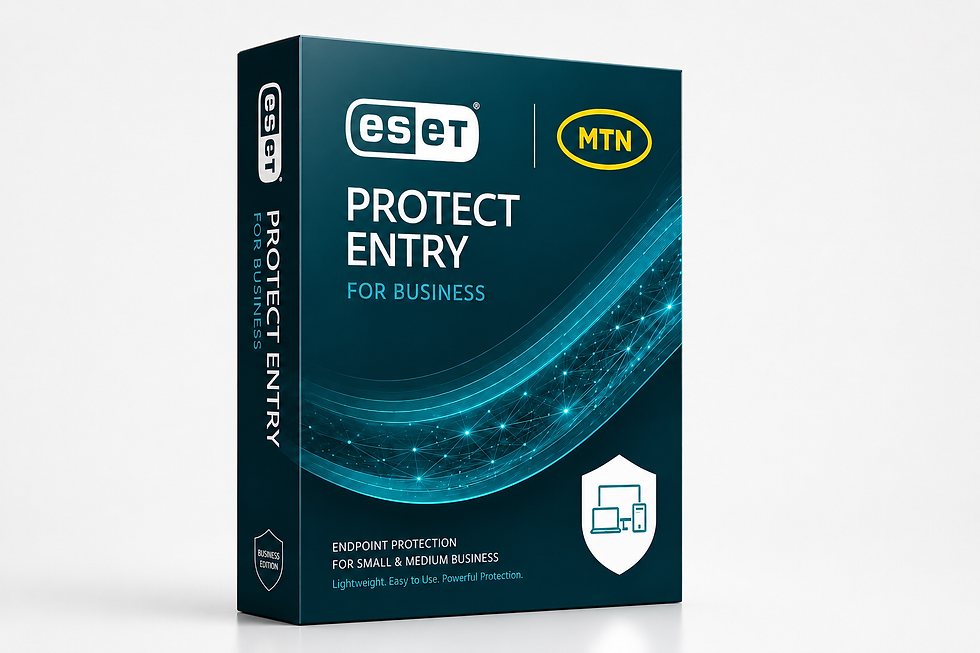
Typical users include:
Small and Medium Enterprises (SMEs)
Startups experiencing rapid growth
Professional service firms
Retail businesses
Financial service providers
Healthcare practices
Educational institutions
Manufacturing businesses
Hospitality businesses
Companies operating across multiple locations
It is particularly well suited for businesses that need to protect employee devices, centralise cybersecurity management and secure critical business information without investing in complex on-premises infrastructure or a large internal IT team.
What Does It Protect?
Depending on the selected subscription, ESET PROTECT Entry + Server Security supports 10, 15, 20 or 25 devices, making it suitable for businesses at different stages of growth.
Windows desktops and laptops
macOS devices
Android smartphones and tablets
Business file servers
Instead of managing each device individually, administrators can monitor, configure and manage security from a single cloud-based console, making routine cybersecurity administration significantly more efficient.

Key Business Security Features
ESET PROTECT Entry + Server Security brings together multiple layers of protection designed specifically for business environments.
Advanced Endpoint Protection
Continuously monitors endpoints for malware, ransomware, spyware and other malicious software, helping prevent threats before they affect users or business operations.
Server Security
Protects business file servers that store shared documents, financial records, databases and other mission-critical information, helping reduce the risk of malware infections and unauthorised access.
Cloud-Based Management Console
Provides administrators with a single dashboard to deploy security, monitor device health, apply policies and respond to threats remotely without needing to access each device individually.
Anti-Ransomware Technology
Detects suspicious behaviour associated with ransomware attacks and helps prevent files from being encrypted, reducing the likelihood of costly downtime.
Device Control
Allows organisations to manage how external devices, such as USB drives and removable storage, interact with company computers, helping reduce accidental data loss and the introduction of malicious software.
Security Reporting and Monitoring
Generates reports and provides visibility into the overall security posture of the organisation, enabling faster identification and response to potential threats.
Centralised Administration
Makes it possible to manage security across multiple employees, offices and devices from one location, improving operational efficiency and reducing administrative overhead.
Easy Deployment
Designed for quick implementation without extensive infrastructure changes, allowing businesses to strengthen cybersecurity with minimal disruption to daily operations.
Subscription Plans and Pricing
ESET PROTECT Entry + Server Security is available in four business tiers based on the number of devices requiring protection. Each tier offers Monthly, 6-Month and Annual subscription options, allowing businesses to select a plan that aligns with their operational needs and budget
Devices Protected | Monthly | 6 Months | Annual |
10 Devices | ₦62,850 | ₦290,080 | ₦580,150 |
15 Devices | ₦93,080 | ₦429,600 | ₦859,190 |
20 Devices | ₦124,100 | ₦572,790 | ₦1,145,580 |
25 Devices | ₦155,140 | ₦715,990 | ₦1,431,970 |
All prices are in Nigerian Naira (₦) and are available through MTN's approved subscription channels.

Choosing the Right Business Plan
Each subscription tier is designed to accommodate businesses at different stages of growth.
10 Devices
A suitable starting point for startups, small offices and growing businesses with a compact workforce requiring reliable endpoint and server protection.
15 Devices
Recommended for organisations that have expanded beyond a small team and need additional coverage for new employees and shared business devices.
20 Devices
Designed for established SMEs operating across multiple departments or locations, where consistent security management is essential.
25 Devices
The ideal choice for larger SMEs seeking comprehensive protection for a broader workforce, shared infrastructure and business-critical systems while maintaining centralised visibility across all protected devices.
Why Businesses Choose ESET PROTECT Entry + Server Security
Cybersecurity is no longer just an IT concern—it is a business priority. A successful cyberattack can lead to financial loss, operational disruption, reputational damage and loss of customer trust. ESET PROTECT Entry + Server Security helps organisations reduce these risks through enterprise-grade protection that is scalable, easy to manage and backed by decades of cybersecurity expertise.
By combining advanced threat prevention, server protection and centralised management within a single solution, businesses can focus on growth while maintaining confidence that their digital infrastructure is protected against today's evolving cyber threats.
At a Glance
Best for: Startups, SMEs and growing businesses.
Devices covered: 10–25 business devices.
Supported platforms: Windows, macOS, Android and business file servers.
Key advantage: Centralised cloud management with enterprise-grade endpoint and server protection.
Subscription options: Monthly, 6 Months and Annual.
Starting price: ₦62,850 per month for 10 devices.
ESET Internet Security | ESET PROTECT Entry + Server Security |
Best for: Individuals & families | Best for: SMEs & growing businesses |
Covers: 2–5 devices | Covers: 10–25 devices |
Starts from: ₦3,700/month | Starts from: ₦62,850/month |
Includes: Antivirus, anti-phishing, ransomware protection and more | Includes: Endpoint protection, server security, cloud management and more |
Subscribe to MTN × ESET Cybersecurity Solutions
Subscribing to an MTN × ESET cybersecurity solution has been designed to be simple, secure and convenient. Whether the preferred method is through USSD or the MTN E-Shop, the subscription process can be completed in just a few minutes.

Before getting started, it is helpful to ensure that the appropriate solution has already been selected based on individual or business requirements. Having an active MTN line and a preferred payment method readily available will also help make the subscription process smoother.
Before Subscribing
Before proceeding with a subscription, it is recommended to confirm the following:
✔ The most suitable ESET solution has been selected.
✔ The preferred device plan has been chosen.
✔ The preferred subscription duration (Monthly, 6 Months or Annual) has been decided.
✔ An active MTN line is available.
✔ Sufficient airtime is available if subscribing via USSD, or an alternative payment method has been prepared for purchases through the MTN E-Shop.
Taking a few moments to confirm these details helps ensure a smooth subscription experience from start to finish.
Option 1: Subscribe via MTN USSD
The USSD channel offers one of the quickest ways to subscribe to MTN × ESET cybersecurity solutions directly from an MTN mobile line. No internet browser or physical store visit is required, making it a convenient option for customers who prefer mobile self-service.
Follow these simple steps:
Step 1: Dial 460150# on an active MTN line.
Step 2: Select the preferred ESET cybersecurity solution:
ESET Internet Security, or
ESET PROTECT Entry + Server Security.
Step 3: Choose the preferred device plan based on the number of devices requiring protection.
Step 4: Select the preferred subscription duration:
Monthly
6 Months
Annual
Step 5: Confirm the subscription request.
The applicable subscription fee will be deducted from the available MTN airtime balance.
Step 6: Upon successful payment, an activation key will be delivered via SMS.
This activation key will be required during software activation and should be kept in a safe place for future reference.
Option 2: Subscribe via the MTN E-Shop
Customers who prefer completing their purchase online can subscribe through the MTN E-Shop using a web browser on a computer or mobile device.
The MTN E-Shop also provides flexibility by supporting multiple payment methods.
Follow these steps:
Step 1: Visit the MTN E-Shop.
Step 2: Search for ESET.
Step 3: Select the preferred cybersecurity solution.
Step 4: Choose the required device plan.
Step 5: Select the preferred subscription duration.
Step 6: Complete payment using any of the available payment methods, including:
MTN Airtime
Debit Card
Bank Transfer
Step 7: After successful payment, an activation key will be sent via SMS.
Keep this activation key safe, as it will be needed to activate the software after installation.

What Happens After Payment?
Once payment has been successfully completed through either subscription channel, the remaining steps are straightforward. The subscriber will receive an activation key via SMS. This unique licence key confirms the subscription and unlocks the purchased ESET product.
The activation key should not be deleted, as it may be required again when reinstalling the software or activating another device covered under the selected subscription.
With the activation key received, the next step is to download the appropriate ESET application.
Download the Correct ESET Application
Installing the correct application is essential to ensure that the purchased licence works properly.
Download the version that matches the device or operating system requiring protection.
Device | Application |
Android smartphones and tablets | ESET Mobile Security |
Windows PCs and laptops | ESET Internet Security |
macOS computers | ESET Cyber Security |
Business Servers | ESET Server Security |
For Windows, macOS and Server installations, the appropriate software can be downloaded from:
Android users should download ESET Mobile Security directly from the Google Play Store.
Always download ESET software from official ESET or MTN platforms to ensure authenticity and security.
Activating the Licence
After installing the appropriate ESET application, activation can be completed within a few minutes.
Step 1
Launch the installed ESET application.
Step 2
Select Activate Product.
Step 3
Enter the activation key received via SMS.
Step 4
Complete the activation process. Once activation is successful, the device will immediately begin benefiting from the selected ESET protection features.
Tips for a Smooth Subscription Experience
The following recommendations can help avoid common issues during subscription and activation:
Keep the activation SMS until all intended devices have been successfully activated.
Ensure the selected subscription matches the required number of devices before completing payment.
Download only the version of ESET software that corresponds with the operating system being protected.
Use official MTN and ESET platforms for subscriptions and software downloads.
Renew subscriptions before they expire to maintain uninterrupted protection.
Need Assistance?
If assistance is required at any stage of the subscription or activation process, support is available through the official MTN and ESET customer support channels. Having the registered MTN phone number and activation key readily available will help speed up the support process whenever troubleshooting or account assistance is required.
Frequently Asked Questions (FAQs)
To make the subscription process as straightforward as possible, here are answers to some of the most common questions about MTN × ESET cybersecurity solutions.
1. Who can subscribe to MTN × ESET cybersecurity solutions?
Anyone with an active MTN Nigeria line can subscribe to an eligible MTN × ESET cybersecurity plan. Both individuals and businesses can choose from a range of subscription options based on the number of devices they wish to protect.
2. Which ESET solution is right for personal use?
ESET Internet Security is recommended for individuals, families, freelancers, students, remote workers and Small Office/Home Office (SoHo) users. Depending on the selected plan, it protects between two and five devices running Windows, Android or macOS.
3. Which solution is suitable for businesses?
ESET PROTECT Entry + Server Security is designed for startups, SMEs and growing organisations that need to protect multiple employee devices while managing cybersecurity from a central platform. Plans are available for 10, 15, 20 and 25 devices.
4. Can more than one device be protected under a single subscription?
Yes. Each subscription covers a specific number of devices. Customers can choose a plan based on the number of devices they need to protect.
5. Which operating systems are supported?
Depending on the selected product, supported platforms include:
Windows
Android
macOS
Windows Server (for eligible business subscriptions)
Always download the version that matches the operating system of the device being protected.
6. How will the activation key be received?
After successful payment, an activation key is sent via SMS to the registered MTN number used during the subscription process. This key is required to activate the purchased ESET product.
7. How long does activation take?
Activation usually takes only a few minutes after the software has been installed and the activation key has been entered successfully.
8. What should be done if the activation SMS is not received?
If the activation key is not received after successful payment, contact MTN or ESET customer support for assistance. Before reaching out, ensure the payment was completed successfully and keep any transaction details available.
9. Can a subscription be renewed?
Yes. Subscriptions can be renewed before or after expiry to maintain continuous protection. Renewing before the licence expires helps avoid interruptions in cybersecurity coverage.
10. Can a licence be used on different device types?
Yes, provided the device is supported by the purchased product and the total number of activated devices does not exceed the subscription limit.
For example, a qualifying ESET Internet Security licence may be used across a combination of supported Windows, Android and macOS devices within the purchased device allowance.
11. Can a subscription be purchased for someone else?
Yes. As long as the subscription and activation details are provided correctly, a plan may be purchased to help protect a family member, friend or employee.
12. What payment methods are available?
Depending on the subscription channel, payment can be made using:
MTN Airtime
Debit Card
Bank Transfer
Available payment options may vary depending on whether the subscription is completed via USSD or the MTN E-Shop.
13. Is an internet connection required?
An internet connection is required to download the software and activate the licence. Once activated, the software continues to protect the device, while internet access allows it to receive important security updates and the latest threat intelligence.
14. What happens when the subscription expires?
When a subscription expires, protection may be reduced or deactivated until the licence is renewed. Renewing promptly helps ensure uninterrupted access to the latest security updates and product features.
15. Where should the ESET software be downloaded?
For the safest experience, ESET software should only be downloaded from official MTN or ESET platforms. Downloading from unofficial sources may expose devices to counterfeit or modified software.
16. Where can additional support be obtained?
For further assistance with subscriptions, activation or product-related enquiries, customers can contact the official MTN Nigeria or ESET Nigeria support teams through their approved customer support channels.
CHOOSE ESET X MTN
Choosing the right cybersecurity solution is an important step towards protecting devices, personal information and business operations from today's evolving cyber threats. Through the MTN × ESET partnership, trusted cybersecurity solutions are now more accessible than ever, with flexible subscription plans designed to meet the needs of individuals, families and businesses alike.

Whether the goal is to secure a personal laptop, protect an entire household or strengthen cybersecurity across a growing organisation, MTN × ESET offers reliable, award-winning protection backed by decades of global cybersecurity expertise.
Getting started is simple. Select the solution that best matches current needs, choose a preferred subscription plan, complete the purchase through MTN and activate the licence to begin enjoying comprehensive digital protection. Protect what matters most with MTN × ESET because stronger cybersecurity starts with the right protection.


Comments